For twenty years, online shopping followed one path. A shopper searched on Google or scrolled Instagram, clicked through to your store, browsed, and bought.
In 2026, a second path opened. The shopper asks an AI assistant — ChatGPT, Gemini, Copilot or Perplexity — something like "a cotton kurta under ₹1,500 for office wear". The AI finds products, compares them, and in some cases completes the purchase without the shopper ever opening your website.
This is agentic commerce: AI agents shopping on a person's behalf. Shopify has moved faster than anyone to connect its stores to it. This article explains the new terms in plain language, what an AI agent actually sees in your store, and a 7-point checklist to get your store ready.
Why this matters for Indian D2C brands now
Two things are true at once:
- Buying through AI assistants is US-only for now. Shopify says purchases through ChatGPT and Microsoft Copilot are open to any store in Shopify Catalog that sells to US buyers, wherever the store is based. Google AI Mode and Gemini are limited to selected US-based shops. A brand that sells only in India can't take orders through these channels yet. Your store's own eligibility is shown in Sales channels → Agentic in the Shopify admin.
- The work to get ready is the same everywhere, and it takes time. It's mostly about product data, and fixing product data across hundreds of SKUs isn't a weekend job.
Brands that clean up their data now will be ready the day these features reach India. Better product data also improves your Google Shopping results, your on-site search and your own AI agent today, so none of the work is wasted.
The new terms, in plain language
You'll see a lot of acronyms in Shopify's announcements and in tech news. Here's what each one means for a store owner.
| Term | What it is | Status (checked Nov 2026) |
|---|---|---|
| Agentic commerce | AI agents shopping on a person's behalf | Growing fast; search interest rose sharply in 2026 |
| Shopify Catalog | Shopify's index of products from its stores, which AI platforms can read | On by default for eligible stores; you can turn off sharing with third-party AI channels |
| Agentic Storefronts | A Shopify feature that makes your products discoverable and buyable inside AI assistants: ChatGPT, Microsoft Copilot, Google AI Mode and Gemini, Meta's apps, and Shop | Announced in the Winter '26 Edition (Dec 2025). On by default for eligible stores. Buying inside AI chats is for US buyers only for now |
| Storefront MCP | A standard connection (using the Model Context Protocol) that lets AI agents search your store and build a cart | Being replaced by UCP. Catalog tools moved to UCP in April 2026; the old cart tools were supported until 31 Aug 2026 |
| UCP (Universal Commerce Protocol) | An open standard, created by Google and Shopify, for agents to discover products and check out | Announced 11 January 2026 (NRF, New York); powers buying in Google AI Mode and Gemini |
| ACP (Agentic Commerce Protocol) | OpenAI and Stripe's standard for agent checkout | Launched Sept 2025 with Instant Checkout in ChatGPT. In March 2026 OpenAI dropped Instant Checkout; ACP now carries product feeds into ChatGPT and checkout stays with the merchant |
| AP2 (Agent Payments Protocol) | A standard, created by Google, for proving that a person authorised the agent to pay | Donated to the FIDO Alliance in April 2026 |
The good news: you don't need to implement any of these protocols yourself. Shopify handles the plumbing. What you control is the quality of your product data, because that's all an AI agent has to go on.
What an AI agent sees in your store (and what it doesn't)
When a person visits your store, they see your banners, your photography, your reels, your brand story and the "bestseller" badge. They get a feel for the brand.
An AI agent sees none of that. It reads data:
What it reads:
- product titles and descriptions;
- structured attributes: size, colour, material, ingredients, skin type, age, use case;
- price, stock and variants;
- shipping, return and exchange policies;
- reviews and ratings.
What it can't see:
- text inside images ("suitable for sensitive skin" written on a banner);
- your brand story and lifestyle photography;
- clever product names that don't say what the product is;
- offers that live only on a homepage banner.
So if your best-selling face wash is called "The Glow One" and the fact that it's for oily skin appears only in a product photo, an AI agent asked for "a face wash for oily skin" has no reason to pick it.
Shopper agents vs. your brand agent
There are two kinds of AI agents in this story, and you need to think about both.
Shopper agents — ChatGPT, Gemini and the rest — work for the buyer. They compare you with every other brand and pick what fits best based on data. You can't control what they say; you can only give them good data.
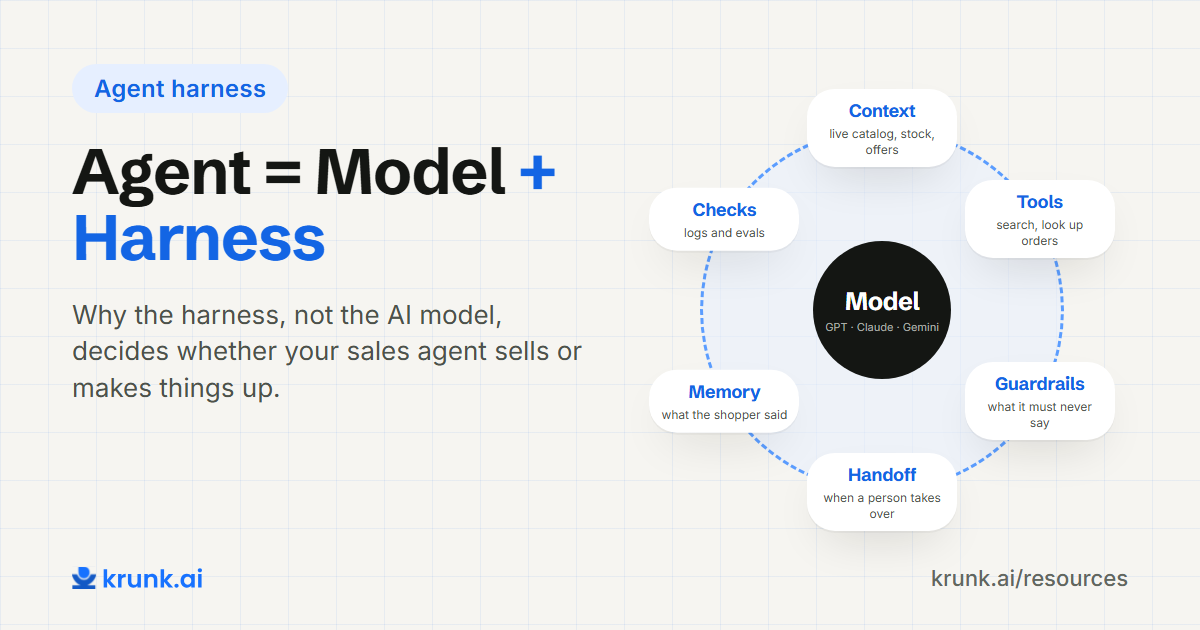
Your brand agent works for you, on your own channels: WhatsApp, Instagram and your website. It knows your full catalog, your offers and your rules, and its job is to help the shopper who came to you directly.
You need both. Clean data so shopper agents choose you. Your own agent so shoppers who come to you get an answer at least as good as ChatGPT would give them, with your brand's voice and rules.
The agent-ready checklist for Shopify stores
1. Titles say what the product is
Write titles a stranger could understand without a photo.
- ❌ "The Glow One"
- ✅ "Aloe Face Wash for Oily Skin, 100 ml"
- ❌ "Monsoon Edit 04"
- ✅ "Women's Cotton Straight Kurta, Sage Green"
You can keep your brand name in the title: "The Glow One – Aloe Face Wash for Oily Skin, 100 ml".
2. Attributes are fields, not just sentences
Put key facts into Shopify's structured fields — product options, category, and metafields — not only inside the description. Which attributes matter depends on your category:
| Category | Attributes to fill |
|---|---|
| Fashion | Size, colour, fabric, fit, occasion, care |
| Beauty & personal care | Skin/hair type, key ingredients, free-from (fragrance, parabens), size |
| Food & wellness | Ingredients, diet (vegan, sugar-free), allergens, weight, shelf life |
| Kids | Age range, material, safety certifications |
| Home | Dimensions, material, colour, room |
Shopify's Standard Product Taxonomy helps here. Set each product's Category in the product page, then fill in the category metafields Shopify suggests for it (for example size, fabric or neckline for clothing).
3. Every variant is complete
Each size and colour should have its own price, stock count, SKU and, ideally, its own image. An agent asked for "size M in blue" needs to know that exact variant is available.
4. Policies are clear and on their own pages
Shipping times, return windows, exchange rules and cash on delivery should each be stated plainly on a policy page, not only in a FAQ accordion or a banner. Agents increasingly use these when comparing brands.
5. Check your Shopify sharing settings
In your Shopify admin, go to Sales channels → Agentic. By default, "Allow Shopify to manage for me" is on: every AI channel is active and new ones are added automatically. Switch to manual if you want to choose channels yourself or stop sharing with Shopify Catalog. The same page has a search preview and listing-quality indicators, which are a free way to see how AI channels read your products. Your store can appear here even if it's in India; buying inside AI chats is still limited to US buyers.
6. Keep stock accurate
Agents recommend what your data says is available. If your stock counts are wrong, the agent will send shoppers to products you can't ship, and that disappointment lands on your brand, not the AI's.
7. Have your own agent on your own channels
When a shopper comes to you directly — on WhatsApp, Instagram or your website — your brand agent should use the same clean data to answer as well as any shopper agent would. This is where the data work pays off immediately, before Agentic Storefronts even reach India.
A quick self-audit
Pick your five best-selling products and ask:
- Does the title say what it is, for whom, and the size?
- Are the 3–5 attributes a shopper cares about in structured fields?
- Does every variant have its own stock and price?
- Could someone understand the return policy without opening an image?
If you answer "no" more than twice, start with those five products. Then work through the catalog by sales volume.
How Krunk helps
Krunk's Shopify extension installs in one click and syncs your catalog, variants, stock, orders and discounts automatically. Your brand agent then uses that data to answer shoppers on WhatsApp, Instagram and your website: recommending products by need, checking orders, and quoting live offers.
Every plan starts with a 1-month free trial, and we set it up for you.
Next step
Install Krunk for Shopify →FAQ
What is agentic commerce?
Shopping done by AI agents on a person's behalf: finding products, comparing them and sometimes buying.
What are Shopify Agentic Storefronts?
A Shopify feature that makes a store's products discoverable and buyable inside AI assistants: ChatGPT, Microsoft Copilot, Google AI Mode and Gemini, Meta's apps, and Shopify's own Shop app. It's managed from Sales channels → Agentic in the Shopify admin.
Is Shopify Agentic Storefronts available in India?
Not fully yet. Shopify says buying through these AI channels is currently open only to US buyers, and Google's channels only to selected US-based shops. An Indian store that sells only in India can't take orders through them for now. Check Sales channels → Agentic in your admin to see your store's status.
Do I need to implement UCP or MCP myself?
No. Shopify handles these standards for its stores. Your job is to keep your product data complete and accurate.
What makes a product "agent-ready"?
A clear title, structured attributes, complete variants with stock and price, and plain policies. In short: data an AI can read without seeing your images.